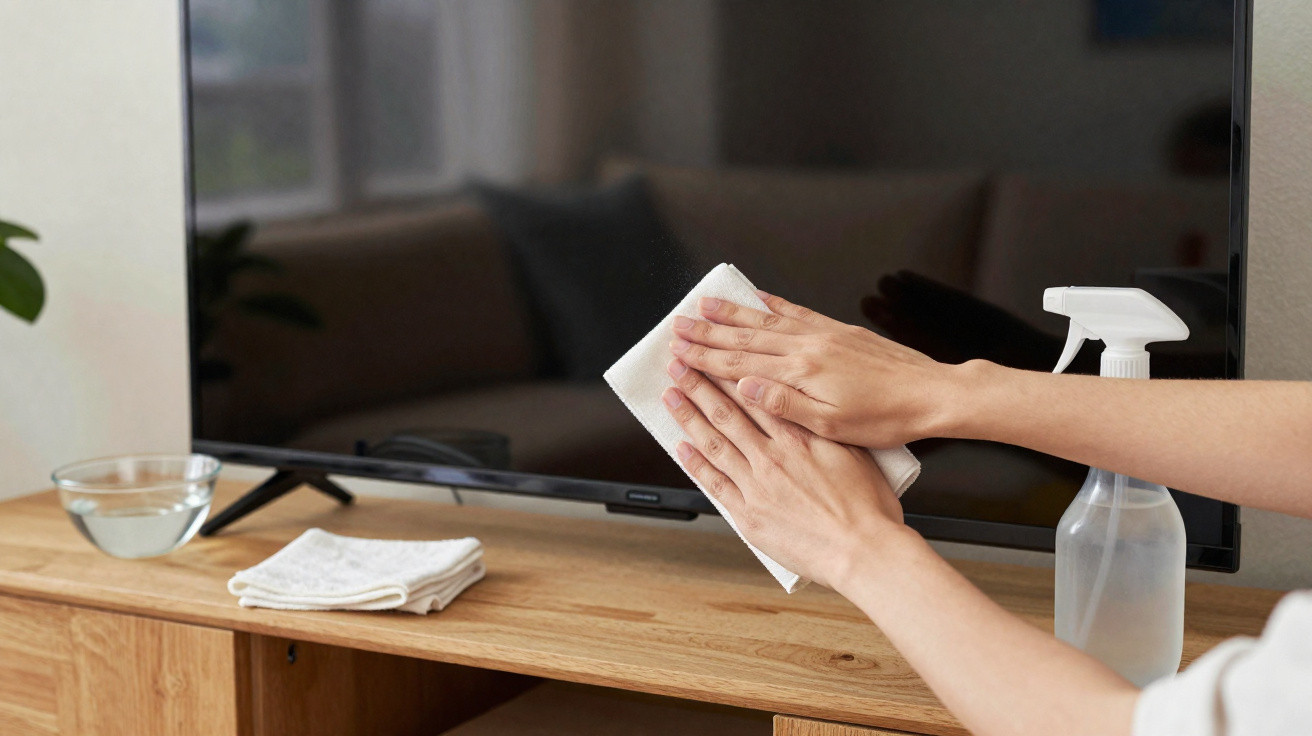
To clean a TV screen with fingerprints safely, switch the set off, allow the panel to cool, and use a clean, soft microfibre cloth. If dry wiping does not remove the marks, lightly dampen the cloth with water, ideally distilled water. Avoid alcohol, glass cleaner, multi-purpose cleaners and kitchen roll, as they can damage surface coatings or cause fine scratches.
Why can ordinary cleaning products damage a TV screen?
Modern displays should not be cleaned as though they were window glass. Many panels have anti-reflective films and other surface treatments that may react poorly to solvents, ammonia, high-concentration alcohol or household cleaners made for different materials. This can lead to permanent staining, dull patches or uneven brightness.
Some materials are also more abrasive than they appear.
- Avoid glass cleaner and multi-purpose cleaning products;
- Do not use alcohol unless the manufacturer specifically recommends it;
- Do not use kitchen roll, paper napkins or rough cloths;
- Avoid sponges, including the side regarded as soft;
- Never spray liquid directly onto the panel.
How do you remove fingerprints without pressing on the screen?
Start by wiping with a dry microfibre cloth, using gentle movements and no pressure on the panel. Surface dust and some fresh marks may come away at this stage. If finger grease remains, dampen a separate area of the cloth very slightly with water and wipe the affected section.
Why must the TV be switched off and cool before cleaning?
With the display off, smudges, dust and fingerprints are easier to see. Letting the panel cool also limits rapid water evaporation and prevents cleaning a warm surface.
The process is straightforward:
- Switch off the TV and unplug it if carrying out a more thorough clean;
- Wait until the screen has cooled completely;
- Remove dust with a dry microfibre cloth;
- Lightly dampen the cloth only for persistent marks;
- Wipe without pressing, then finish with another dry microfibre cloth.
How much water should be used on the cloth?
Use very little. The cloth should be only slightly damp, never soaked. Excess liquid may run down the panel edges and reach internal electronic components. Distilled water is a useful option because it contains fewer minerals that could leave residue once dry.
- Apply the water to the cloth first, never to the television;
- Wring the cloth out thoroughly before touching the surface;
- Do not allow droplets to run over the panel;
- Use broad, gentle strokes;
- Let the surface dry before switching the set on again.
A simple fingerprint should not become permanent screen damage
The most common mistake is to spot a smudge and automatically reach for the cleaner used on mirrors or windows. On a modern TV, this cleaning attempt can be more damaging than the dirt itself. A microfibre cloth, minimal pressure and the smallest amount of water are usually enough for routine care, provided the manufacturer's specific instructions are followed.
In homes with children, regularly removing small marks also prevents the need to rub older residue more firmly. The less product and friction required, the lower the risk to the panel coating. The practical rule is to treat the screen as a delicate surface: keep the set cool, use a soft cloth, and do not improvise with harsh products simply because a fingerprint seems difficult to remove.









Comments
No comments yet. Be the first to comment!
Leave a Comment