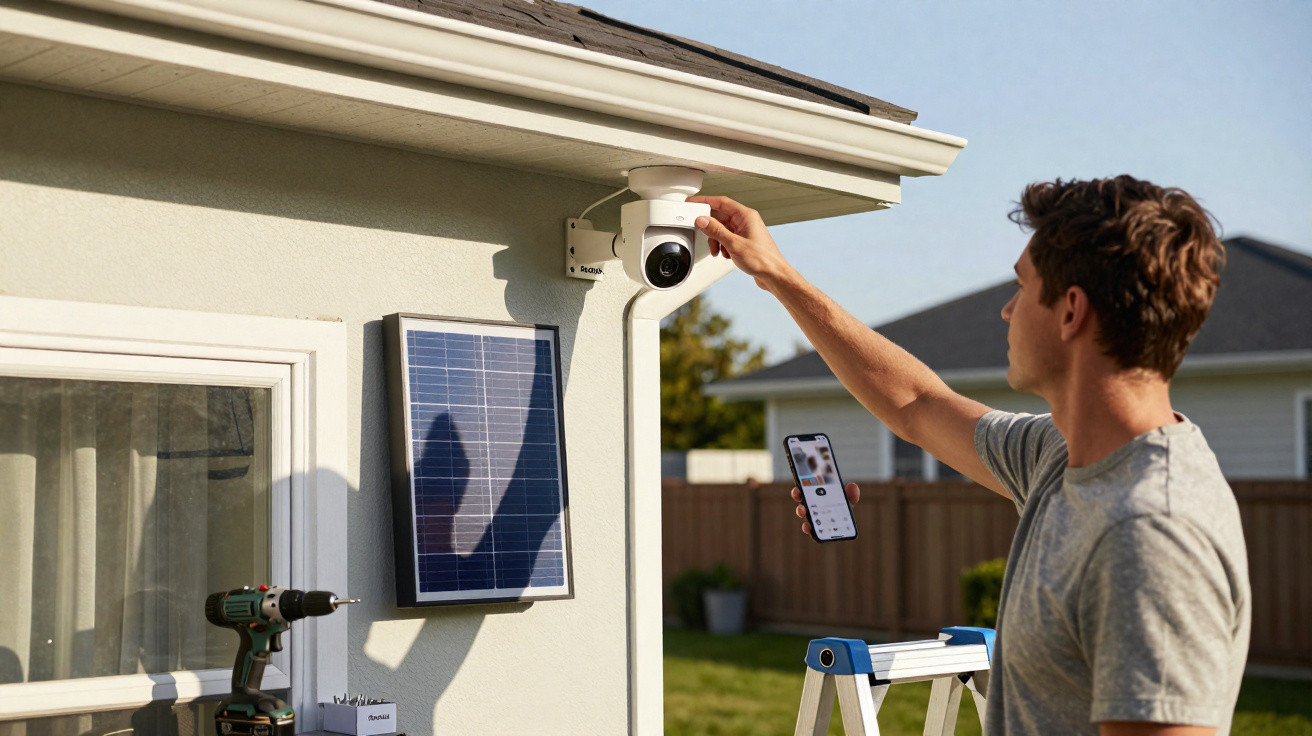
The Reolink security camera connects to an internet router over Wi-Fi, runs on a battery or solar power, saves its footage to a microSD card and works with a comprehensive app that is easy for anyone to use. Here is our full review.
For people living in a detached or semi-detached house, fitting a surveillance camera to the front of the property can provide extra reassurance, for instance by allowing them to see who has rung the doorbell. It can also be useful in a large garden containing an outbuilding, a garden shed or a cultivated area, where it can help identify incursions by animals that may be more or less troublesome.
Reolink Solar Floodlight Cam at the best price
- Base price: €99
- Amazon: €109 - View offer
There is a vast choice of products in this category, with varying levels of sophistication and differing installation requirements. In this case, setting up Reolink's Solar Floodlight Cam requires virtually no specialist knowledge. It operates without a wired connection, as it simply needs to connect to an internet router, and it does not need a mains supply because it has an integrated battery and can be powered by solar energy.
Let us look at what the Solar Floodlight Cam offers and whether it really is as straightforward to install as Reolink claims.
Price and availability
On Reolink's website, the Solar Floodlight Cam is currently sold for €99, rather than its usual €110. The manufacturer also offers a two-camera bundle, useful for securing both the front and rear of a home, for €192.49.
Several accessories are available, including an external battery and additional solar panels, for situations where the camera can only be fitted somewhere that does not receive direct sunlight on its own panel.
First impressions
The box contents are particularly comprehensive. Alongside the camera, there is a mounting bracket with an adjustable ball joint, screws and suitable wall plugs, an installation tool, a USB-C cable and a drilling template.
The Solar Floodlight Cam is fairly substantial in size and comes with a notably extensive set of features:
- Two adjustable LED floodlights.
- A fixed solar panel.
- A USB-C port for faster battery charging.
- A microSD card slot.
- An on/off button.
Installing the Reolink Solar Floodlight Cam
For anyone who is not at least somewhat comfortable with DIY, fitting the camera is likely to be the most challenging part. Once the best location has been chosen, only two holes need to be drilled. Naturally, this can be more or less difficult depending on the surface to which the camera is attached; for our test, it was fixed to a wooden beam. A paper template included in the box shows the required distance between the holes.
These holes are used to attach the first bracket. A second bracket is then screwed onto it; this one includes a threaded rod and a ball joint, allowing the camera to be aimed in any direction.
Installation is completed by screwing the camera onto this second bracket and securing it tightly with the small supplied plastic tool.
Naturally, the camera is IP66-rated, so rain is not a concern, as one would expect from an outdoor camera.
In short, the camera can be mounted in just a few minutes.
Beforehand, the battery should be charged. With a capacity of 7800 mAh, it can provide three months of battery life, according to the manufacturer. Reolink also states that one hour of sunlight on the solar panel is enough to provide 24 hours of operation.
One minor disappointment is that the solar panel would ideally also have been mounted on a ball joint, enabling it to be positioned optimally. In our case, a gutter directly above the point where we installed the camera prevented sunlight from reaching the solar panel directly.
However, this did not prove to be especially problematic. After a week of use, the charge level displayed in the app had not fallen.
It is also important to make sure the panel does not become too dirty. Wiping it with a cloth occasionally will help it retain optimum efficiency.
Setup naturally starts by switching on the camera. After holding the power button for a few seconds, the camera emits a beep.
After downloading and opening the app, available on PC, Mac, Android and iOS, simply follow the installation process step by step. It is especially straightforward and quick to complete. A French voice, audible signals and the colour of the status light all indicate that the initial configuration is progressing correctly.
During first-time setup, the QR code on the back of the camera must be scanned so that the app can identify it.
When first connecting it to the router over Wi-Fi 6, using either 2.4 GHz or 5 GHz, the Wi-Fi password must of course be entered. Afterwards, pairing is automatic if you wish to control the camera or view recorded images from another device, as the camera is already connected to the router.
App and capture quality
As noted above, the Solar Floodlight Cam needs no wired connection, either for power or network access. Nor is a subscription required to store the photos and videos it captures, since everything is saved directly to the microSD card.
Reolink's software is both fairly comprehensive and very easy to use. It displays the camera's live feed, while also allowing manual zooming, photo capture, video recording and even two-way conversations with someone within the camera's field of view.
It has a 150-degree field of view, while footage is recorded in QHD at 2560 x 1440 pixels and up to 15 frames per second.
This is supplemented by a 110 dB siren, which can be activated whenever needed, as can the LED floodlights.
At night, the light and siren can be set to activate automatically whenever movement is detected. This should be used sparingly, however, since neighbours may not appreciate it if it happens repeatedly overnight.
In our testing, night vision proved convincing. By default, the Solar Floodlight Cam records in black and white after dark. However, when the IR sensor detects a presence, up to 10 metres away, the floodlights switch on and recording changes to colour.
The two LED floodlights deliver 1000 lumens of brightness. Their colour temperature can also be adjusted from 3000 K, for warm yellowish lighting, to 6000 K, for cooler bluish lighting.
Although the captured video sequences are of reasonably good quality, we noticed one small issue. Because the floodlights are so powerful, a filmed person's face is often overexposed by default, making them impossible to identify when they stand too close to the camera. The solution is to adjust the LED power in the app.
The manufacturer also highlights its use of artificial intelligence - it really is everywhere - to distinguish a person from a cat or dog. In the latter case, the camera is supposed not to send alerts. In practice, our little ginger cat, wandering back and forth in front of the camera, was correctly spotted and triggered both an alert and video recording.
The app also includes an option intended to reduce the number of false alerts sent by email and notifications by adjusting the motion detector's sensitivity. This can be useful, as we found that branches from a shrub blowing in the wind were enough to generate numerous alerts.
To address this, exclusion zones can also be defined. A person or animal detected in such a zone will not trigger an alert. The only issue is that, while the feature worked when setting detection zones for an animal, vehicle or person - simply by drawing the area on screen with a fingertip - it did not work for “other” objects, such as a shrub, which is a shame.
Finally, the Reolink Solar Floodlight Cam is compatible with Google Assistant and Alexa. We were therefore able to connect the camera to our Amazon Echo device. The very simple procedure consists of entering Amazon login details and password. Echo can then be asked to show the camera's live view: “Alexa, show the camera image.” The Alexa-compatible device also plays audio picked up by the camera's microphone. For example, it is also possible to switch on the LEDs.
Our verdict on the Reolink Solar Floodlight Cam
Despite its somewhat bulky format, this camera is a very quick surveillance solution to put in place, as only two holes are needed to mount it. What is more, connecting it to the router and configuring it takes only a few minutes through the well-designed Reolink app, which is easy to use even for “non-geeks”.
Unless there is a very, very long eclipse, there is no real need to worry about power. The internal battery is continually recharged by the large solar panel. If we were being picky, we would ask for that panel to be adjustable like the LED floodlights, while the lights themselves could remain fixed.
Storage is equally hassle-free, as everything is recorded to a microSD memory card. Recorded video quality is satisfactory too, with people and animals captured on camera generally easy to recognise.
Ultimately, numerous settings can be adjusted to fine-tune the camera. It simply takes a little time to set certain options, such as sensitivity, so that you are not overwhelmed by unnecessary alerts.
Reolink Solar Floodlight Cam at the best price
- Base price: €99
- Amazon: €109 - View offer
Reolink Solar Floodlight Cam
€94.99
9
Installation
9.0/10
Ease of use (app)
9.0/10
Battery life
10.0/10
Capture quality
8.0/10
What we like
- Large solar panel.
- Two powerful, adjustable LED floodlights.
- Effective speaker and microphone.
- Colour recording at night.
- A siren powerful enough to deter intruders.
What we like less
- Slightly bulky.
- Non-adjustable solar panel.
Buy the Reolink Solar Floodlight Cam
















Comments
No comments yet. Be the first to comment!
Leave a Comment